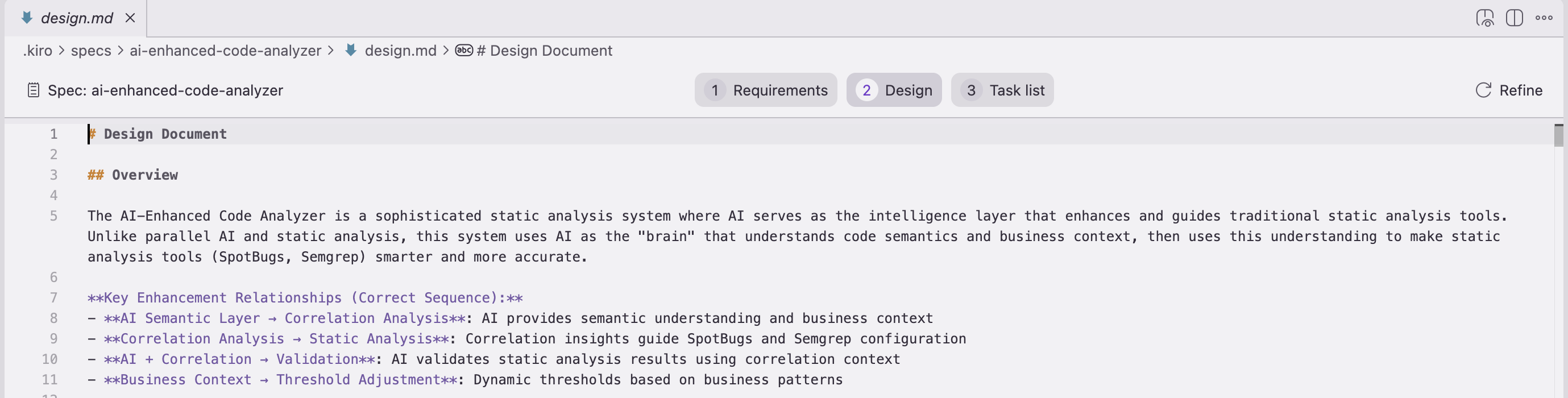
Data flow - How information moves through the system
Interface contracts - APIs, function signatures, data schemas
4. Tasks Phase
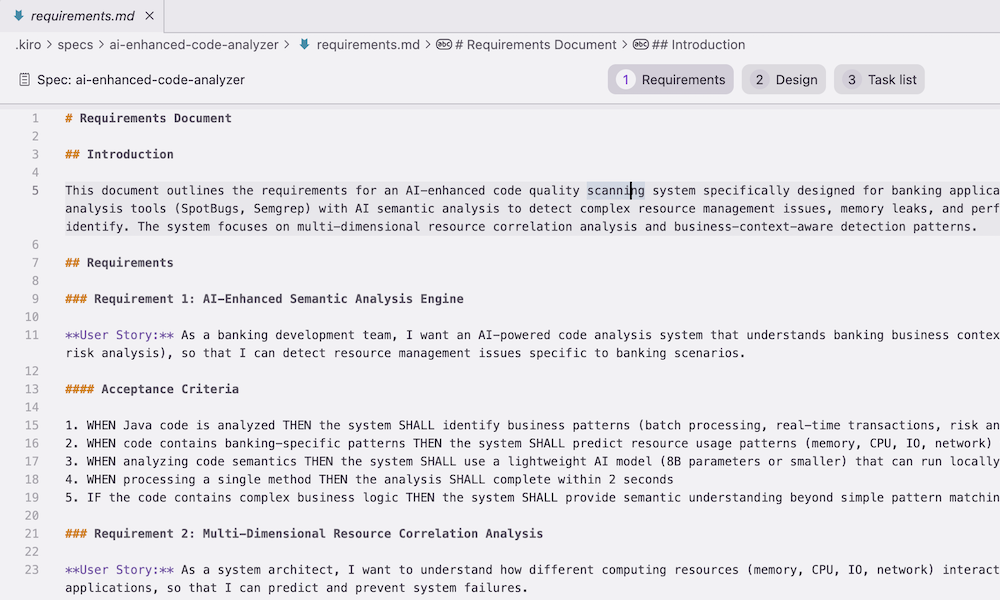
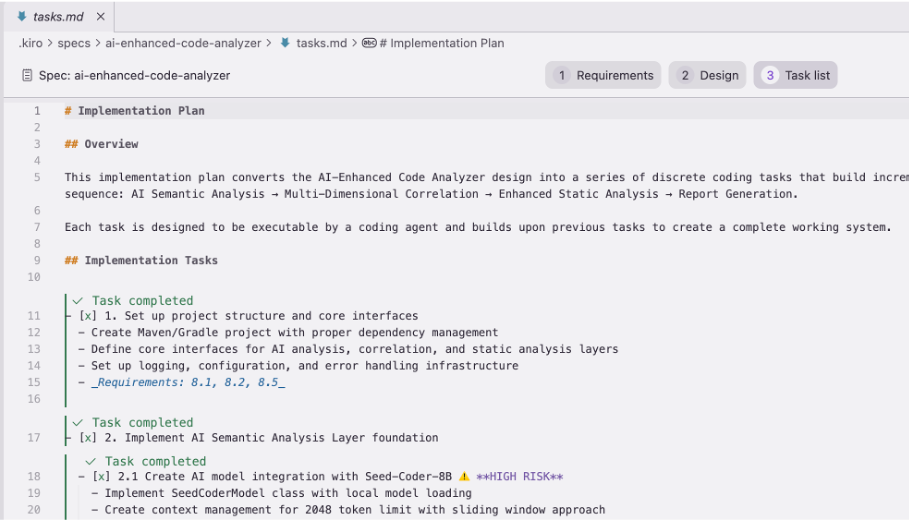
Break down into atomic units - Each task should be independently completable
Sequence dependencies - What must happen before what
Identify risks - Where might things go wrong?
Plan validation - How to test each task
5. Implementation Phase
Execute in planned order - Follow the task sequence
Minimal viable code - Only what’s needed for the requirement
Validate incrementally - Test each piece as you build
Refactor if needed - Clean up after core functionality works
Why This Prevents Amazon Q Hanging/Inefficiency
The Problem with Skipping Idea Phase:
1 2 3 4 5
❌ "Build me a user system" → Amazon Q guesses at requirements → Implements generic solution → Doesn't match your actual vision → Multiple revision cycles
The Power of Starting with Idea:
1
2
3
4
5
✅ "I want users to collaborate on documents in real-time, like Google Docs"
→ Clear idea and vision
→ Specific requirements emerge naturally
→ Design choices become obvious
→ Implementation is focused and efficient
Practical Application Examples
Example 1: E-commerce Feature
Idea: “Customers abandon carts because checkout is too complex” Requirements: One-click checkout for returning customers Design: Store payment methods, streamlined UI flow Tasks: Payment storage, UI simplification, security validation Implementation: Minimal code for core flow
Example 2: API Optimization
Idea: “Our API is slow because we’re making too many database calls” Requirements: Reduce response time by 50% without changing API contract Design: Implement caching layer and query optimization Tasks: Add Redis, optimize queries, implement cache invalidation Implementation: Focused changes to bottleneck areas only
Amazon Q Interaction Best Practices
Communicate the Full Journey
1
2
3
4
"IDEA: I want to add real-time notifications to keep users engaged
REQUIREMENTS: Push notifications for comments, mentions, and updates
DESIGN: WebSocket connection with fallback to polling
CONTEXT: @workspace (existing Express.js app with Socket.io already installed)"
Use Progressive Disclosure
Start with the idea and get alignment
Drill into requirements together
Explore design options
Plan tasks collaboratively
Execute implementation efficiently
Leverage Context Effectively
@workspacefor understanding the bigger picture @folder for architectural context @file for implementation details Share your idea first, then provide relevant context
Efficient implementation → Less debugging and rework
This approach works for any agentic coding tool, not just Amazon Q. The key is treating the AI as a collaborative partner in the entire creative process, not just a code generator.